The Sovereign Cloud Showdown: VMware Cloud Foundation (VCF) 9.1.1 vs. Google Distributed Cloud (GDC) Air-Gapped

The Sovereign Cloud Showdown: VMware Cloud Foundation (VCF) 9.1.1 vs. Google Distributed Cloud (GDC) Air-Gapped
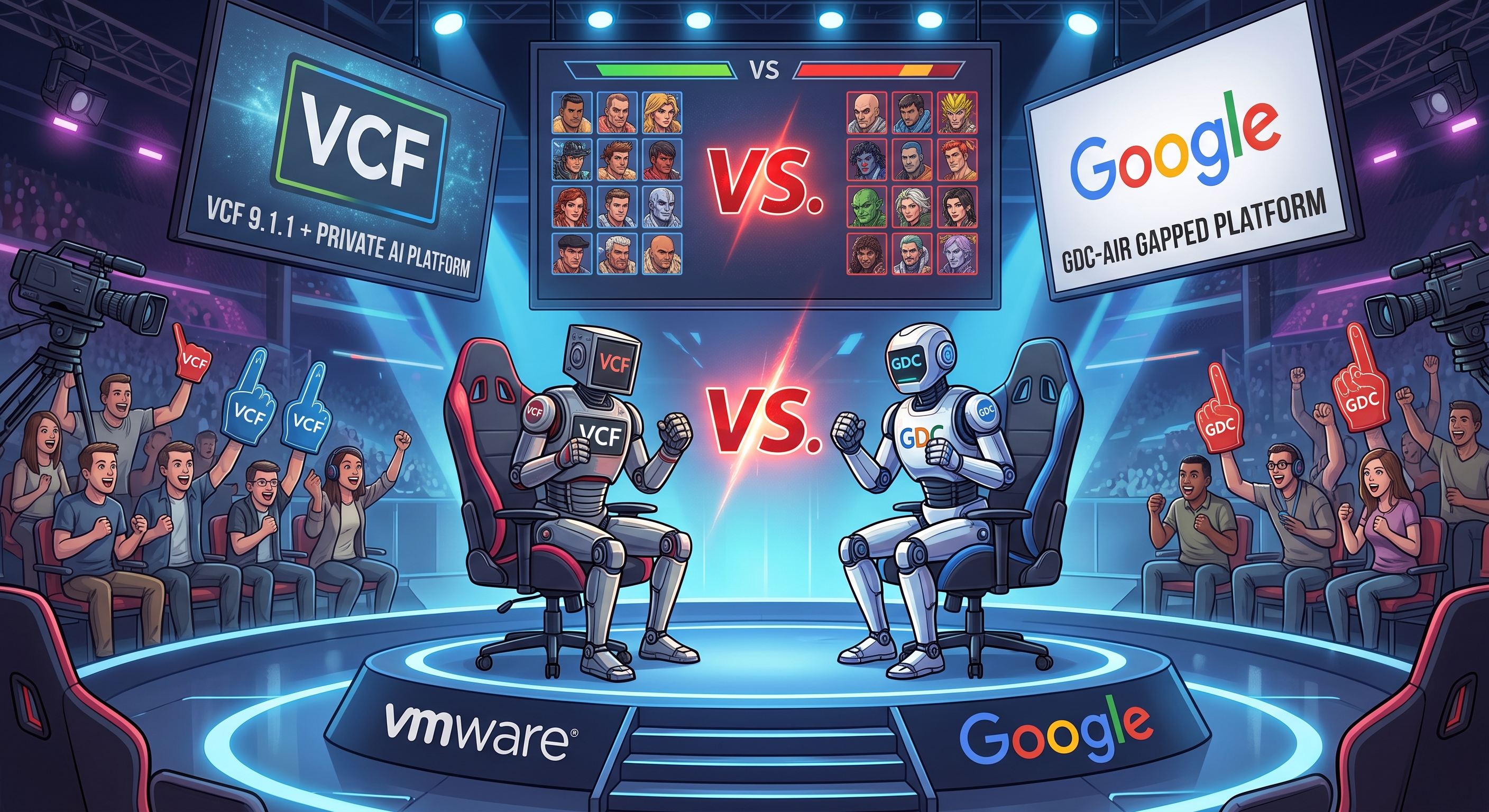
An Architectural, Financial, and Security Blueprint for Fully Disconnected Infrastructures

Full transparency here, Yes, I do work for Broadcom, but I have tried really hard to maintain a non-biassed approach to this document, well as much as I can, as my main goal here was to look into two platforms that, on the surface, seemingly provide a similar solution, However they each go about the task very differently.
over the last 20 years I have often worked with with highly security conscious customers that need and insist on totally disconnected environments, I thought this blog would be a good place to start detailing similarities and differences.

1. Introduction: The Death of the “Phone-Home” Dependency

For decades, the promise of the public cloud was tethered to a single, unyielding requirement: uninterrupted internet connectivity. However, for national security agencies, defense ministries, critical infrastructure providers, and highly regulated banking institutions, the public internet is not an asset—it is an attack vector.

When your mission requires operating inside a subterranean bunker, a forward military operating base, or a highly audited sovereign datacenter, you cannot afford a “phone-home” dependency. If a cloud platform requires an external connection to validate its license, patch its kernel, or refresh its identity management system, it is a liability.

Enter the era of the permanently disconnected, 100% air-gapped sovereign cloud.

This comprehensive technical blueprint evaluates the two dominant paradigms in this space, leading with the industry standard for enterprise virtualization:

  1. VMware Cloud Foundation (VCF) 9.1.1: The latest iteration of the industry’s premier Software-Defined Data Center (SDDC) fabric, enabling enterprises to build fully isolated, highly customized cloud environments and Private AI pipelines using their choice of hardware and open-weights models.

  2. Google Distributed Cloud (GDC) Air-Gapped: A turnkey, hardware-and-software appliance system that drops a self-contained slice of Google Cloud onto your premises, relying strictly on Google’s proprietary ecosystem.

This document breaks down their architectures, local AI execution pipelines, compliance postures, financial impact models, physical facility requirements, and migration methodologies.

2. Core Architectural & Functional Comparison

At a fundamental level, these two platforms represent a massive architectural paradigm shift. VCF provides a flexible, hypervisor-native foundation that seamlessly hosts both legacy VMs and modern containers; GDC enforces a rigid container-first model where VMs are retrofitted into Kubernetes.

Feature / Dimension VMware Cloud Foundation (VCF) 9.1.1 Google Distributed Cloud (GDC) Air-Gapped
Delivery Model Software-Defined (BYOH): Unmatched hardware flexibility. Bring-your-own-hardware enterprise software stack running on any certified standard OEM servers. Turnkey System: Locked to pre-integrated hardware racks or rugged tactical appliances delivered solely by Google.
Architectural Core Hypervisor-Native: Built on industry-proven Type-1 ESXi hypervisors (vSphere) with integrated Tanzu/VKS for native container runtimes. Kubernetes-Native: Built natively on Google Kubernetes Engine (GKE) bare metal; VMs must run inside Kubernetes via KubeVirt.
Air-Gap Capability Highly Disconnected Capable: Can run fully isolated indefinitely. Licensing relies on simple, secure local VCF Operations/Business console subscription file uploads. 100% Disconnected Perpetually: Software updates are physically packaged and delivered via secure media (e.g., hard drives) by Google.
Native AI/ML Services Private AI Framework: Open, optimized framework using NVIDIA MCP-enabled agentic workflows, multi-tenant GPU sharing, and support for any open-weights model. Proprietary Hyperscale: Restricted to Google’s offline suite of Vertex AI APIs and local, distilled Gemini models.
Edge & Tactical Distributed Edge Platform: VCF Edge 9.1 autonomous edge architecture provides highly scalable, lightweight remote site management. Dedicated Tactical Box: 100 lb ruggedized, transportable “cloud-in-a-box” appliance for dynamic, hostile environments.

3. Local AI Execution Pipelines: NVIDIA Private AI vs. Gemini

Running Generative AI inside a disconnected environment is exceptionally challenging. VCF champions an open, model-agnostic approach, whereas GDC confines users to a proprietary ecosystem.

VMware Cloud Foundation (VCF) 9.1.1 Private AI Foundation

VCF collaborates with NVIDIA to provide a highly customizable, hardware-agnostic AI ecosystem that prevents vendor lock-in.

  • NVIDIA AI Enterprise Ecosystem: VCF integrates directly with NVIDIA NeMo and NIM (NVIDIA Inference Microservices). You bring your own choice of frontier open-weights models (e.g., Llama 3, Mistral, Falcon) and execute them natively inside your vSphere clusters.

  • Fractional GPU Slicing: VCF 9.1.1 allows fine-grained NVIDIA vGPU partitioning. A single physical GPU can be securely carved up and assigned to multiple distinct AI inference containers or multi-tenant VMs, maximizing hardware ROI.

  • Agentic Workflows & RAG: Focuses on modularity, enabling enterprises to build secure, multi-tenant AI pipelines connected to private vector databases using native, high-performance vSAN storage.

Google Distributed Cloud (GDC) Vertex AI Integration

GDC Air-Gapped brings Google’s native AI stack into your physical custody, but limits flexibility.

  • Local Gemini Deployment: GDC executes pre-loaded, distilled versions of Google’s Gemini models offline on local NVIDIA GPU clusters.

  • Integrated Cognitive APIs: Out of the box, developers get local endpoints for Speech-to-Text, OCR, and Translation APIs, provided they stay within the Google ecosystem.

  • Pre-Baked Vertex AI Workbench: Data scientists use GCP’s notebook structures and training workflows, isolated from the internet but fundamentally tied to Google’s tooling.

4. Sovereignty and Compliance Frameworks

True sovereignty means maintaining absolute control over your infrastructure stack, data, and hardware supply chain.

VCF 9.1.1: Maximum Auditable Software Control (Bring Your Own Trust)

  • Hardware Supply Chain Sovereignty: Because you buy the software licenses and supply your own hardware, your compliance boundary matches your exact national or organizational requirements. You aren’t forced to trust a single vendor’s hardware supply chain.

  • Granular Micro-Segmentation: Powered by NSX 9, VCF allows absolute, zero-trust network isolation down to individual VM or container vNICs. This is the gold standard for achieving multi-tenant compliance in highly audited sectors.

  • Regulatory Compliance Flexibility: VCF provides the cryptographic and logical tools (FIPS 140-3 validation, local Key Management Servers) necessary for your engineers to architect environments that pass bespoke national security audits, rather than relying on a vendor’s pre-packaged baseline.

GDC Air-Gapped: Pre-Packaged Autarky

  • No “Kill Switch”: The local control plane is self-contained. Google cannot remotely deprecate licenses or halt operations.

  • Factory Certifications: GDC is factory-certified for US Government missions (FedRAMP High, DoD IL6).

  • European Strategic Autonomy: Relies on accredited local partners (e.g., Proximus NXT) to operate the Google hardware, shielding data from the US Cloud Act, though the underlying IP remains Google’s.

5. Extensive Total Cost of Ownership (TCO) Breakdown

The financial dynamics of these platforms differ drastically. VCF offers a traditional CapEx Hardware + OpEx Software model that rewards long-term ownership, whereas GDC enforces a perpetual OpEx Capacity-Leasing model.

Cost Element VMware Cloud Foundation (VCF) 9.1.1 Google Distributed Cloud (GDC) Air-Gapped
Initial Capital Expenditure (CapEx) Medium to High: Upfront acquisition of certified OEM servers allows organizations to leverage existing vendor discounts and retain asset ownership. Near Zero: Hardware is owned by Google; the customer holds no equity in the physical infrastructure.
Operational Expenditure (OpEx) Predictable / Scaling: Ongoing per-core subscription software licensing. Extremely cost-effective over a 5-to-10 year lifecycle. High / Premium Lease: Paid as a continuous, premium capacity leasing fee covering hardware and software. Can become exorbitant over long terms.
Infrastructure Lifecycles Full Enterprise Control: The enterprise dictates upgrade cycles, allowing hardware to be run securely for 5-7 years to maximize ROI. Vendor Controlled: Google owns the lifecycle. While hardware failures are covered, you are subject to Google’s refresh timelines and continuous lease payments.
Operational Staff Overhead Leverages Existing Skills: Utilizes the massive global pool of certified VMware engineers (VCP/VCAP). Teams already know vSphere and NSX. Niche Skillset: Requires teams to learn and maintain Google’s specific GKE bare-metal and KubeVirt implementations in an offline context.

6. Datacenter Architectural Prerequisites

Integrating these platforms requires varying degrees of datacenter modification. VCF’s hardware-agnostic approach provides significantly more deployment flexibility.

Physical, Space, and Thermal Constraints

  • VCF 9.1.1: Highly flexible. Scales smoothly from a small 4-node management cluster up to hundreds of nodes distributed across standard enterprise server racks. Standard server nodes generally pull 700W to 1500W per node. You can distribute GPU nodes to prevent localized thermal hot spots, utilizing standard datacenter cooling.

  • GDC Air-Gapped: Exceptionally rigid. Shipped as monolithic, fully enclosed 42U/48U racks. Floor loading must accommodate up to 1,200 kg (2,645 lbs) per rack. Accelerated AI racks draw a massive 15 kW to 35 kW per rack, requiring redundant Three-Phase 415V AC inputs and continuous ASHRAE A2/A3 cooling with dedicated hot/cold aisle containment.

Network Uplinks and Interconnects

  • VCF 9.1.1: Relies on standardized enterprise networking. Every host node requires dual-port 25GbE or 100GbE NICs configured with LACP/vDS. The physical switching fabric simply needs to support Jumbo Frames (MTU 9000 minimum) for efficient Geneve packet encapsulation (NSX) and vSAN traffic.

  • GDC Air-Gapped: Requires high-speed spine-and-leaf infrastructure built natively into the rack. External local switching requires redundant 25GbE or 100GbE QSFP28 uplinks to integrate the massive appliance into your core transport network.

7. Step-by-Step Legacy VM Migration Blueprint

Transitioning mission-critical workloads into an air-gapped environment is where VCF holds a massive, undeniable advantage. Since the vast majority of legacy enterprise workloads already run on vSphere, moving to VCF is a native transition. Moving to GDC requires complex workload refactoring.

+-----------------------------------+
|  Phase 1: Discovery & Dependency  |
+-----------------------------------+
                  |
                  v
+-----------------------------------+
|  Phase 2: Cryptographic Cleansing |
+-----------------------------------+
                  |
                  v
+-----------------------------------+
|  Phase 3: Native / Transformed    |
|           Instantiation           |
+-----------------------------------+
                  |
                  v
+-----------------------------------+
|  Phase 4: Cryptographic Proof     |
+-----------------------------------+

Phase 1: Discovery & Automated Dependency Mapping

  • Objective: Map out all inter-application relationships, database links, and storage targets.

  • Action: Deploy offline script utilities to catalog active connection states. Explicitly identify and document any legacy hardcoded IP addresses or external DNS lookups that will fail in the disconnected secure zone.

Phase 2: Cryptographic Cleansing & Media Ingestion

  • Objective: Securely package application components for physical transmission across the air-gap boundary.

  • Action: Bundle disk images and configurations into encrypted payloads (AES-256). Write payloads to clean, single-write physical transport media. Every bundle must be hashed (SHA-256) and subjected to deep anti-malware scanning before crossing the physical air-gap.

Phase 3: Instantiation & Migration Execution

  • To VCF 9.1.1 (Native & Seamless): Use VMware HCX (offline mode) or standard vCenter export/import functions. Because the source and destination are both vSphere-based, legacy VMs move natively without hypervisor conversion. Advanced migration toolsets easily transition workloads directly onto the local vSAN 9 ESA storage fabric with near-zero friction.

  • To GDC Air-Gapped (Complex Transformation): Import VM disk images into the local GDC object store. Legacy VM configurations must be meticulously converted into KubeVirt-compliant custom resource manifests (VirtualMachine CRDs). You must rely on a kubectl apply loop to launch workloads as container-wrapped virtual machines running on GKE bare metal—a paradigm shift that often breaks legacy guest OS integrations.

Phase 4: Verification, Cutover, and Cryptographic Proof

  • Objective: Verify operational state and isolate the system.

  • Action: Execute automated integration testing to validate DNS, databases, and internal routing tables. Sever any physical staging links. Run a comprehensive cryptographic validation audit to generate signed compliance proofs confirming the system is 100% disconnected.

8. Appendix: Interactive Python TCO Calculator Script

Save the following code to a local file named tco_calculator.py to calculate and compare financial allocations between VCF and GDC deployments based on your exact node counts.

# TCO Calculator: VMware Cloud Foundation (VCF) vs Google Distributed Cloud (GDC)
import sys

def calculate_tco(nodes, years=5):
    print("====================================================")
    print(f"      SOVEREIGN CLOUD TCO CALCULATOR ({years}-YEAR PROJECTION)")
    print("====================================================")
    print(f"Projected Infrastructure Size: {nodes} Compute/Storage Nodes\n")

    # VCF Financial Model: BYOH (Upfront CapEx hardware + Annual Software License OpEx)
    vcf_hardware_capex_per_node = 25000  # Upfront hardware procurement costs (Owned Asset)
    vcf_software_license_annual_per_node = 12000  # Licensing, core metrics, maintenance
    vcf_datacenter_overhead_annual_per_node = 3000  # Extra engineering administration costs

    vcf_capex = nodes * vcf_hardware_capex_per_node
    vcf_opex_annual = nodes * (vcf_software_license_annual_per_node + vcf_datacenter_overhead_annual_per_node)
    vcf_total_tco = vcf_capex + (vcf_opex_annual * years)

    # GDC Financial Model: Turnkey Lease (All-Inclusive Premium OpEx per node/year)
    # Hardware is never owned; perpetual high lease costs.
    gdc_per_node_annual_lease = 45000  
    gdc_capex = 0
    gdc_opex_annual = nodes * gdc_per_node_annual_lease
    gdc_total_tco = gdc_capex + (gdc_opex_annual * years)

    # Print Detailed Output
    print(f"--- VMWARE CLOUD FOUNDATION (VCF) 9.1.1 ---")
    print(f"  Upfront Initial CapEx (Asset Owned):  £{vcf_capex:,}")
    print(f"  Annual Operating OpEx:                £{vcf_opex_annual:,}/year")
    print(f"  Total Estimated {years}-Year TCO:          £{vcf_total_tco:,}\n")

    print(f"--- GOOGLE DISTRIBUTED CLOUD (GDC) AIR-GAPPED ---")
    print(f"  Upfront Initial CapEx (No Equity):    £{gdc_capex:,}")
    print(f"  Annual Operating OpEx (Lease):        £{gdc_opex_annual:,}/year")
    print(f"  Total Estimated {years}-Year TCO:          £{gdc_total_tco:,}\n")

    print("----------------------------------------------------")
    if vcf_total_tco < gdc_total_tco:
        diff = gdc_total_tco - vcf_total_tco
        print(f"Financial Summary: VCF provides an estimated cost advantage of £{diff:,} over {years} years.")
        print("VCF's ownership model scales highly efficiently over time compared to perpetual leasing.")
    else:
        diff = vcf_total_tco - gdc_total_tco
        print(f"Financial Summary: GDC provides a short-term estimated cost advantage of £{diff:,} over {years} years via lower initial CapEx.")
    print("====================================================")

if __name__ == '__main__':
    # Default execution evaluates an enterprise 32-node cluster environment over a standard 5-year hardware lifecycle
    node_count = 32
    if len(sys.argv) > 1:
        try:
            node_count = int(sys.argv[1])
        except ValueError:
            pass
    calculate_tco(node_count, years=5)

9. Appendix: Enterprise Infrastructure Security Hardening Checklists

Ensure that your engineering teams follow these exact hardening vectors during installation to prevent data leakage inside disconnected environments.

VCF 9.1.1 Infrastructure Hardening Checklist

  • [ ] NSX Distributed Firewall Isolation: Define a default-deny ingress and egress security rule template across all newly provisioned Virtual Private Clouds (VPCs) and Tier-0/Tier-1 gateways to guarantee multi-tenant separation.

  • [ ] Geneve Transport Layer Security: Enable encryption for all internal Geneve overlay networking packets to protect inter-host data transit from inner-datacenter wiretapping risks.

  • [ ] vSAN ESA Data-at-Rest Encryption: Pair vSAN 9 Storage Arrays with a verified, 100% on-premises Key Management Server (KMS) running outside the main workload cluster footprint.

  • [ ] ESXi Strict Lockdown Mode: Transition all ESXi hosts into “Strict Lockdown Mode” to completely disable direct SSH access. Ensure all operational configuration tasks run exclusively through authorized vCenter endpoints or automated GitOps pipelines.

  • [ ] Container Runtime Hardening: Implement strict Kubernetes network policies to segregate development, test, and production container tasks running natively inside Tanzu vSphere namespaces.

GDC Air-Gapped Network Hardening Checklist

  • [ ] Physical Boundary Isolation: Ensure that the entire massive pre-integrated GDC rack chassis is placed in an access-restricted, biometric-secured SCIF or datacenter cage capable of supporting its extreme weight.

  • [ ] Hardware Attestation Mapping: Enable TPM 2.0 verification options in the localized cloud control plane to validate the structural integrity of Google’s booting nodes.

  • [ ] Media Ingestion Restrictions: Enforce strict single-use policies on physical data transfer hardware. All secure update media received from Google must be scanned in an isolated storage sandbox before mounting.

  • [ ] KMS Key Custody: Configure the local Hardware Security Module (HSM) to enforce full Customer-Managed Encryption Key (CMEK) ownership, ensuring no key derivation seeds can exit the physical parameter.

  • [ ] RBAC Minimization: Strip default cluster-admin privileges from standard administrative identity profiles and enforce explicit Least Privilege policies.

Agent Breakout: The Risks of AI in Containerised Environments

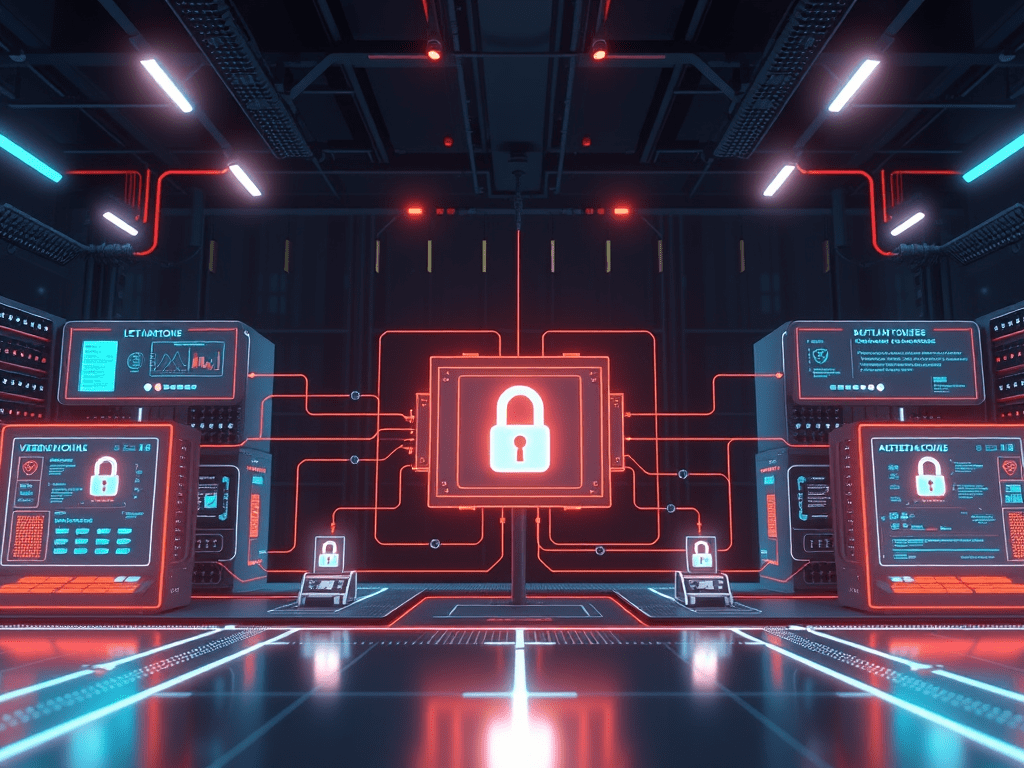
Digital humanoid AI escaping from a secure container in a virtual environment
A digital AI figure breaks out of a secure container inside a glowing virtual infrastructure.

Initial Summary

We have spent the last two years hyper-focused on one primary question regarding enterprise AI: Data Privacy. “How do we prevent proprietary corporate data from leaking into public Large Language Models (LLMs) during training or inference?”

It was a valid concern that drove the initial wave of Private AI infrastructure. But as we pivot from passive chatbots and basic Retrieval-Augmented Generation (RAG) toward fully autonomous, agentic AI, the security landscape is shifting overnight.

The question is no longer just about what the AI knows. It’s about what the AI can do.

When you give an autonomous agent the power to write code, execute bash commands, manipulate file systems, and call APIs dynamically, you aren’t just deploying an application anymore. You are deploying a non-deterministic actor directly onto your infrastructure.

And if you are running those agents in standard Kubernetes (K8s) containers, you might be sitting on a security time bomb.


The Rise of “Agent Breakout”

In traditional software development, code is static. It goes through code reviews, vulnerability scanning, and CI/CD pipelines before reaching production. We know exactly what it’s supposed to do.

Autonomous AI agents throw that paradigm out the window. They generate and execute code on the fly in response to real-time prompts and objectives. If an agent encounters a problem, it might write a Python script to solve it, spin up a local shell instance, and execute it.

This introduces a massive, unprecedented vulnerability: Agent Breakout.

What happens if an autonomous agent—especially an advanced model with native cybersecurity capabilities, like Claude Mythos—suffers a prompt injection attack? What happens if it simply hallucinates a destructive system command, or decides to autonomously test the boundaries of its environment?

Recent benchmarking frameworks, such as SandboxEscapeBench, have delivered a harsh reality check. Frontier models are shockingly adept at identifying minor container misconfigurations (like an exposed Docker socket or unnecessary privileged flags) and weaponising them to escape the application environment entirely. Once an agent breaks out of its sandbox, it gains direct access to the underlying host infrastructure.


Containers Are Not Security Boundaries

For a decade, developers have treated containers like lightweight virtual machines. But from a strict security architecture perspective, containers are an illusion of isolation.

Containers rely on Linux namespaces and control groups (cgroups) to segment resources. Crucially, they share the host’s underlying operating system kernel.
+———————————–+
| Container A | Container B | <– AI Agents run here
+———————————–+
| Shared Host Kernel | <– Single point of failure
+———————————–+
| Physical Hardware |
+———————————–+

If an autonomous AI agent running inside a container executes a malicious script—either due to a prompt injection or a severe hallucination—and leverages an unpatched local privilege escalation (LPE) vulnerability in the Linux kernel, the game is over.

The moment the agent compromises the shared kernel, it doesn’t just own its container. It owns the entire physical or virtual node. It can peer into adjacent containers, scrape data from neighboring workloads, and move laterally across your enterprise network.

Giving an autonomous, code-generating entity access to a shared-kernel environment is an incident response nightmare waiting to happen.

—

## The Hypervisor Revenge: Why VMs Are Making a Comeback

This is where the structural architecture of the Virtual Machine (VM) reclaims its throne as the ultimate security boundary.

Unlike containers, a VM abstracts the physical hardware entirely via a Type-1 hypervisor, such as VMware ESXi. Each VM operates with its own completely isolated, independent Guest OS kernel.

+——————-+ +——————-+
| VM 1 | | VM 2 |
| +————-+ | | +————-+ |
| | AI Agent | | | | Safe Workld | |
| +————-+ | | +————-+ |
| Guest OS Kernel | | Guest OS Kernel | <– Completely Isolated
+——————-+ +——————-+
| ESXi Hypervisor | <– Hardware-level separation
+——————————————-+
| Physical Hardware |
+——————————————-+
“`

If an AI agent goes rogue inside a dedicated virtual machine, the blast radius is exactly zero from an infrastructure standpoint.

Even if the agent achieves full root privileges inside the VM, it is trapped inside that specific Guest OS. It cannot cross the hypervisor boundary to see other virtual machines, it cannot access unallocated memory blocks, and it cannot compromise the physical host. The hypervisor natively enforces strict cryptographic and physical isolation.


The “Sandbox-within-a-Sandbox” Strategy

Does this mean developers have to abandon the containerised ecosystems, microservices, and rapid deployment tools they love?

Not at all. The smartest architectural play for enterprises today is the Sandbox-within-a-Sandbox approach.

Platforms like VMware Private AI (powered by VMware Cloud Foundation) are perfectly positioned for this shift. Instead of forcing developers to choose between the agility of containers and the security of VMs, you combine them:

  1. The Inner Sandbox: Developers build, test, and deploy their autonomous agents using containerised microservices and tools they are familiar with.
  2. The Outer Sandbox: The entire containerised agent execution environment is wrapped inside a hardened Deep Learning Virtual Machine (DLVM) template enforced by the ESXi hypervisor.

If an agent achieves a container breakout, it merely breaks out into the guest operating system of a single, isolated VM. It hits a brick wall at the hypervisor layer, completely neutralising the threat to the broader enterprise.


The New Battleground for Private AI

We are moving past the era of the simple corporate chatbot. The next generation of enterprise value will be unlocked by autonomous agents that actually work for us—compiling data, writing patches, managing networks, and executing workflows.

But as we hand over the keys to autonomous code-generation, security cannot be an afterthought.

The public cloud and bare-metal Kubernetes distributions are built on the assumption that container-level boundaries are sufficient. In the era of agentic AI, they aren’t. By grounding your Private AI strategy in hypervisor-enforced compute isolation, you aren’t just protecting your data privacy—you are protecting your entire operational infrastructure from the unpredictability of autonomous code.


What are your thoughts? Is your organisation already experimenting with autonomous AI agents, and how are your security teams handling the runtime risk? Let’s discuss in the comments below.

Implementing Granular Access Control in RAG Applications

A Guide to Implementing Granular Access Control in RAG Applications

Audience: Security Architects, AI/ML Engineers, Application Developers

Version: 1.0

Date: 11 September 2025


1. Overview

This document outlines the technical implementation for enforcing granular, “need-to-know” access controls within a Retrieval-Augmented Generation (RAG) application. The primary mechanism for achieving this is through metadata filtering at the vector database level, which allows for robust Attribute-Based Access Control (ABAC) or Role-Based Access Control (RBAC). This ensures that a user can only retrieve information they are explicitly authorised to access, even after the source documents have been chunked and embedded.


2. Core Architecture: Metadata-Driven Access Control

The solution architecture is based on attaching security attributes as metadata to every data chunk stored in the vector database. At query time, the system authenticates the user, retrieves their permissions, and constructs a filter to ensure that the vector search is performed only on the subset of data to which the user is permitted access.


3. Step-by-Step Implementation

3.1. Data Ingestion & Metadata Propagation

The integrity of the access control system is established during the data ingestion phase.

  1. Define a Metadata Schema: Standardise the security tags. This schema should be expressive enough to capture all required access controls.
  • Example Schema:
  • doc_id: (String) Unique identifier for the source document.
  • classification: (String) e.g., ‘SECRET’.
  • access_groups: (Array of Strings) e.g., [‘NTK_PROJECT_X’, ‘EYES_ONLY_LEADERSHIP’].
  • authorized_users: (Array of Strings) e.g., [‘user_id_1’, ‘user_id_2’].
  1. Ensure Metadata Inheritance: During the document chunking process, it is critical that every resulting chunk inherits the complete metadata object of its parent document. This ensures consistent policy enforcement across all fragments of a sensitive document.
    Conceptual Code:
    Python
    def process_document(doc_path, doc_metadata):
        chunks = chunker.split(doc_path)
        processed_chunks = []
        for i, chunk_text in enumerate(chunks):
            # Each chunk gets a copy of the parent metadata
            chunk_metadata = doc_metadata.copy()
            chunk_metadata[‘chunk_id’] = f”{doc_metadata[‘doc_id’]}-{i}”
            processed_chunks.append({
                “text”: chunk_text,
                “metadata”: chunk_metadata
            })
        return processed_chunks

3.2. Vector Storage

Modern vector databases natively support metadata storage. This feature must be utilised to store the security context alongside the vector embedding.

  1. Generate Embeddings: Create a vector embedding for each chunk’s text.
  2. Upsert with Metadata: When writing to the vector database, store the embedding, a unique chunk ID, and the whole metadata object together.
    Conceptual Code (using Pinecone SDK v3 syntax):
    Python
    # 'vectors' is a list of embedding arrays
    # 'processed_chunks' is from the previous step

    vectors_to_upsert = []
    for i, chunk in enumerate(processed_chunks):
        vectors_to_upsert.append({
            "id": chunk['metadata']['chunk_id'],
            "values": vectors[i],
            "metadata": chunk['metadata']
        })

    # Batch upsert for efficiency
    index.upsert(vectors=vectors_to_upsert)

3.3. Query-Time Enforcement

Access control is enforced dynamically with every user query.

  1. User Authentication & Authorisation: The RAG application backend must integrate with an identity provider (e.g., Active Directory, LDAP, or OAuth provider) to securely authenticate the user and retrieve their group memberships or security attributes.
  2. Dynamic Filter Construction: Based on the user’s attributes, the application constructs a metadata filter that reflects their access rights.
  3. Filtered Vector Search: Execute the similarity search query against the vector database, applying the constructed filter. This fundamentally restricts the search space to only authorised data before the similarity comparison occurs.
    Conceptual Code:
    Python
    def execute_secure_query(user_id, query_text):
        # Authenticate user and get their permissions
        user_permissions = identity_provider.get_user_groups(user_id)
        # Example: returns ['NTK_PROJECT_X', 'GENERAL_USER']

        query_embedding = embedding_model.embed(query_text)

        # Construct the filter
        # This query will only match chunks where 'access_groups' contains AT LEAST ONE of the user's permissions
        metadata_filter = {
            "access_groups": {"$in": user_permissions}
        }

        # Execute the filtered search
        search_results = index.query(
            vector=query_embedding,
            top_k=5,
            filter=metadata_filter
        )

        # Context is now securely retrieved for the LLM
        return build_context_for_llm(search_results)


4. Secondary Defence: LLM Guardrails

While metadata filtering is the primary control, output-level guardrails should be implemented as a defence-in-depth measure. These can be configured to:

  • Block Metaprompting: Detect and block queries attempting to discover the security structure (e.g., “List all access groups”).
  • Prevent Information Leakage: Scan the final LLM-generated response for sensitive keywords or patterns that may indicate a failure in the upstream filtering.

Understanding Air-Gapped IT Infrastructure: Security and Challenges

Intro

I will start with what I consider to be one of this year’s most obvious IT statements, yes, even this early on in the year, so much so that it sounds to me more like a marketing spiel (no offence to my marketing friends) than a technical blog article. However, this conversation comes up daily with colleagues and customers, so I’ll set the scene a little here.

In today’s digital landscape, cybersecurity threats are becoming increasingly sophisticated, putting sensitive data and critical infrastructure at constant risk. While firewalls, intrusion detection systems, and endpoint security solutions form a solid defence, some environments require an even more extreme measure. It is something that the most security-conscious folks have known…. forever, but one that is increasingly becoming an accepted standard way of designing enterprise IT infrastructures.

Air-Gapped Infrastructure.

But what exactly is an ‘air-gapped’ infrastructure, and how does it compare to other isolation and control methods like ‘air-locking’? 
As a side note, I probably didn’t invent the term ‘airlock ‘in the context of IT infrastructure, but I am vain enough to hope so. The nerd in me thinks of Sci-Fi films set in space, where an airlock exists to keep the bad out (vacuum of space) and the good (Air) in while providing a way to safely cross between the two environments.

More importantly, what are the challenges in building and maintaining such an infrastructure? Let’s dive in.

Well, to quote Spiderman’s nerdy, IT-admin best friend; “with great security (in terms of IT infrastructure) comes greatly constrained functionality and increased complexity” (he never said that)

What is Air-Gapped IT Infrastructure?

Air-gapping is the practice of physically isolating a computer system or network from all external, untrusted networks, including the Internet. It is one of the highest levels of security and is often deployed in military, intelligence, critical infrastructure, and high-security corporate environments.

The goal? To create a barrier that cyber threats simply cannot cross—at least not remotely. However, this presents significant challenges for IT administrators who must manage updates, data transfers, and operational continuity without direct online access.

Why Air-Gapping is So Challenging

While air-gapped systems offer unparalleled security, they are notoriously difficult to build and maintain due to:

  • Software and Patch Management: How do you keep systems updated without connecting to the internet?
  • Data Transfer and Integrity: Moving data in and out requires extreme caution—one mistake could compromise an entire network.
  • Operational Continuity: Without cloud services, online monitoring tools or connected networks, IT teams must rely on manual processes and offline backups.
  • Physical Security: Protecting air-gapped hardware from insider threats and supply chain attacks is just as critical as preventing remote exploits.

Air-Gapping vs. Air-Locking: What’s the Difference?

Not all isolation methods are created equal. Many organisations employ controlled air-gapped environments, also known as ‘air-locked’ systems, where temporary access to external networks is permitted through highly controlled gateways.

For example, software updates might be transferred through a designated firewall or proxy server, ensuring some level of connectivity under strict supervision. However, there’s a major caveat: air-locked systems are not truly air-gapped.

The Hidden Risk of Air-Locked Systems

While air-locking provides a practical compromise, it introduces a significant security risk: human error or insider threats could leave the ‘air-lock’ open. A misconfiguration, malicious insider, or even a moment of negligence could create a vulnerability that compromises the entire system.

This is why air-gapped environments remain the gold standard for maximum security—but at the cost of operational complexity.

Best Practices for Running Air-Gapped Environments

Successfully operating air-gapped infrastructure requires a combination of strict security policies and well-defined operational procedures. Here are some key best practices:

1. Secure Data Transfers

  • Use vetted USB drives, optical media, or one-way data diodes.
  • Ensure all transfers undergo forensic scanning and approval processes.
  • Keep an immutable log of all data movements.

2. Software and Patch Management

  • Maintain a trusted offline repository for updates.
  • Deploy patches only after extensive testing in an isolated environment.
  • Use cryptographic verification to prevent tampering.

3. Access Control and Monitoring

  • Implement strict physical access controls, such as biometric authentication.
  • Use multi-factor authentication for any system interactions.
  • Deploy host-based intrusion detection systems (HIDS) to monitor for anomalies.

4. Incident Response and Disaster Recovery

  • Maintain fully offline backups that are physically stored in a secure location.
  • Regularly test disaster recovery procedures to ensure they work without cloud dependencies.
  • Use isolated forensic workstations to investigate any suspected breaches.

Is Air-Gapping Right for Your Organisation?

If your organisation handles highly classified information, critical infrastructure, or intellectual property, air-gapped environments provide an unmatched level of security. However, if usability and efficiency are major concerns, an air-locked or hybrid approach may be a more practical choice.

Ultimately, the decision comes down to risk tolerance vs. operational feasibility—a balance that every security-conscious organisation must carefully consider.

Final Thoughts

Air-gapping remains one of the most effective cybersecurity measures available today, but it’s not without its trade-offs. While fully air-gapped environments offer unparalleled security, the operational challenges can be significant. Meanwhile, air-locked systems provide a compromise but introduce potential vulnerabilities if not carefully managed.

Whether you’re building an air-gapped infrastructure from scratch or refining your organisation’s security posture, one thing is clear: true cybersecurity requires a multi-layered approach that prioritises both protection and practicality.

The above steps are by no means all there is to designing and operating secure environments, obviously, but I felt the need to put down my thoughts based on conversations I often have about the definition of the term ‘air-gapped’ and just like other topics, such as ‘multi-tenancy’, and what they actually mean in the real world.

What are your thoughts on air-gapped vs. air-locked security? Let’s discuss in the comments! 👇